
Win the first frame
Give viewers an immediate visual reason to stop scrolling.
Creators · podcasts · streaming · production
Virality cannot be guaranteed. But a scroll-stopping set, recognizable visual identity and camera-ready environment can give every video a stronger opening frame. Viral Video Walls creates architectural LED canvases for creators who want the studio to become part of the brand.
Your background should work as hard as your content.The direct answer
A viral video usually combines an immediate hook, a clear idea, emotional or practical value, strong viewer retention, native platform formatting and a visual identity people recognize before they read the creator's name. A video wall cannot manufacture a viral idea—but it can give that idea a flexible, unmistakable environment built for the camera.
The shareable framework
The wall can win attention. The content still has to earn it.
Give viewers an immediate visual reason to stop scrolling.
The audience should understand what they are about to receive within seconds.
Use movement, contrast, scene changes and purposeful pacing to sustain attention.
Repeated visual language helps people identify the creator before they see the username.
Compose intentionally for wide, vertical, square, livestream and multi-platform edits.
Give people something useful, emotional, surprising or relevant enough to send to someone else.
The studio is the opening frame
Build a recognizable show, then transform the canvas whenever the story changes.
Live games, analysis, multiple sources and sponsor moments across one panoramic set.
Data, interviews, maps and changing editorial environments without rebuilding the studio.
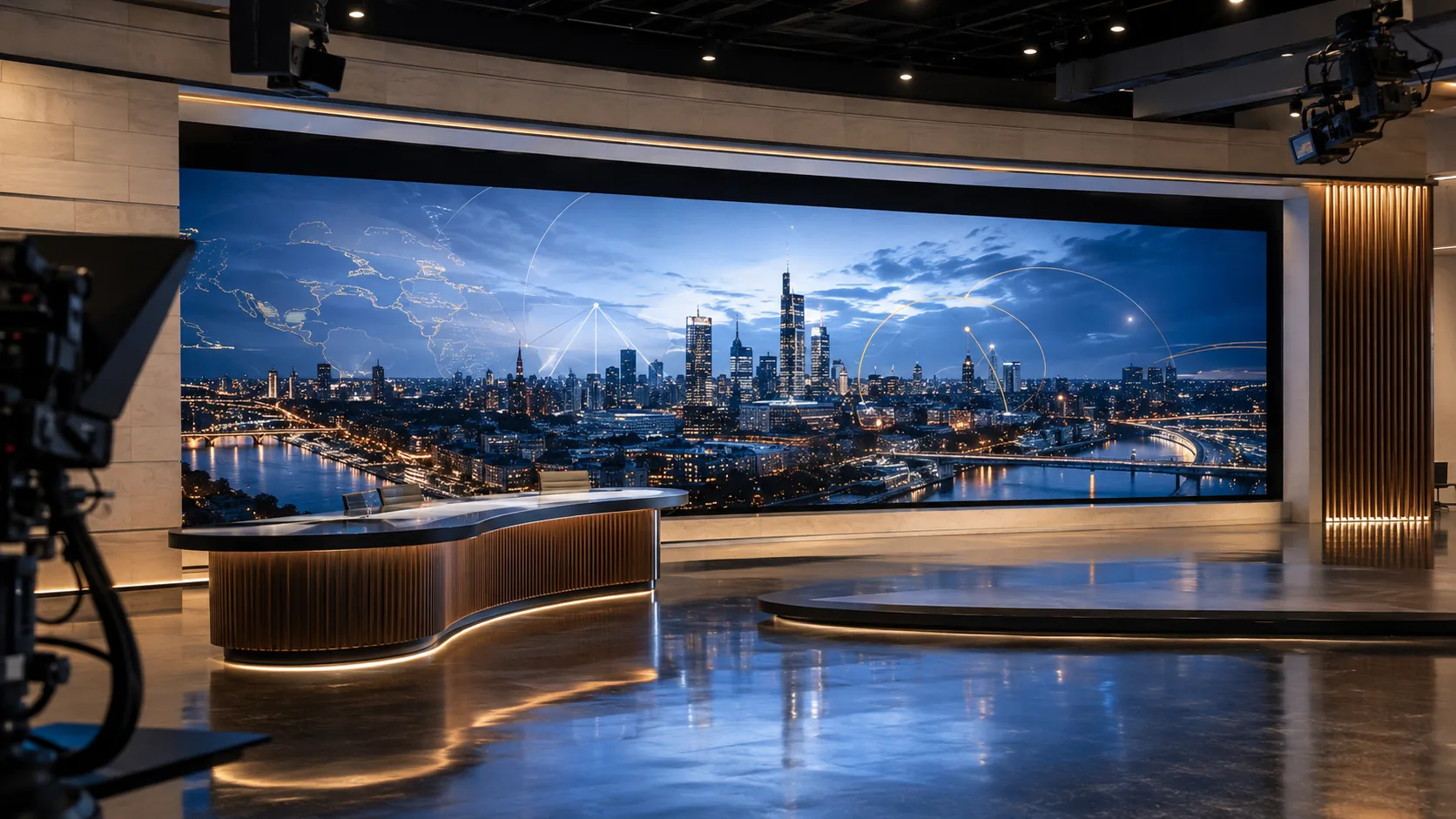
One room · unlimited programming
The physical studio stays production-ready while the visual identity, sponsor package, environment and format change in seconds.
One canvas · completely different shows
Change the visual world without rebuilding the physical room.
Build a repeatable visual identity for interviews, explainers, reviews and long-form shows.
Create strong vertical compositions and fast-changing environments for the first frame.
Give conversations a recognizable setting without relying on one permanent printed backdrop.
Combine live sources, branded graphics and changing scenes on one architectural canvas.
Move from demonstration to reveal to branded close without rebuilding the room.
Turn motion art, lighting and the performance itself into one camera-facing environment.
Support lessons, diagrams, demonstrations and remote audiences from one flexible set.
Create campaign-ready production space for interviews, launches and repeatable client content.
Use in-camera scenery where the capture workflow, hardware and content are engineered together.
The creator advantage
Move from a branded podcast to a launch, performance, interview or completely different environment without making one permanent set carry every idea.
Camera-aware engineering
A wall that looks impressive in person can still photograph poorly if the display, processor, camera and lighting plan are not coordinated together.
Final camera performance depends on the selected hardware, production settings and field conditions. Testing and configuration are part of responsible specification planning.
Every platform has a frame
Plan the physical canvas, processor and content templates together so the same studio can serve long-form YouTube, vertical social, cinematic content and multi-source livestreams.
Build the complete picture
Camera-aware display, processing and production planning.
ExplorePlanningTurn the room, use and viewing conditions into a buildable system.
ExploreBuyer resourceCompare complete scope, infrastructure, warranty and service.
ExploreTechnologyUnderstand scaling, sources, layouts and image control.
ExploreNo. No equipment, studio or company can guarantee virality. A strong wall can make a set more distinctive and flexible, but the idea, hook, execution, audience response and distribution still determine performance.
The display, processor, pixel pitch, refresh behavior, brightness, color workflow, camera distance, lenses and lighting must be planned as one capture system.
Poorly matched hardware or settings can create artifacts. Appropriate display and processor selection, configuration and testing against the production cameras help reduce that risk.
It depends on the closest camera and subject distances, framing, lenses and desired resolution. A camera-aware specification is more reliable than selecting pitch from room size alone.
Yes. The physical canvas and content templates can be designed with safe zones and layouts for 16:9, 9:16, square crops and other publishing formats.
Yes. The source and processor workflow can support branded graphics, motion environments, sponsor moments and show-specific layouts.
The answer depends on the intended wall size, camera distance, subject position, service access, lighting and room geometry. The design begins with the actual room.
Yes. Viral Video Walls is headquartered in Phoenix and coordinates qualified projects nationwide through central planning and verified regional execution.
Yes. The public Wall Design Tool can be started without signing in. Contact information is requested only when a visitor chooses to save and open a private estimate.
The project can coordinate display, processing, control, lighting, audio, acoustics and production requirements with the appropriate project professionals.
The confidence behind the experience
Your equipment proposal identifies the display, processor, matching spare parts and remote-support Mini PC. Selected systems pair the display with NovaStar MX Series processing for the intended viewing experience. The site survey defines the installation and any additional room systems.
Explore the picture and processing experienceAn 8% matching spare-parts reserve is included. Exact quantities follow the approved configuration.
Every system includes a Mini PC for remote support. With your permission and an internet connection, the support team can help diagnose issues and coordinate the next step. Physical repairs may still require a service visit.
Indoor screens include a 2-year manufacturer parts-and-labor warranty, with an optional 3-year extension (5 years total) for 15% of eligible MSRP. Outdoor screens include a 2-year manufacturer parts-and-labor warranty, with an optional 3-year extension (5 years total) for 30% of eligible MSRP. The extension is priced on the wall, including its matching spares, and processor(s), before customer discounts. Steel bezels, mounting brackets, separately priced installation and partner room products and services are excluded from that price basis. Covered repair labor remains included. All indoor and outdoor screens include 8% matching spare parts. Parts and labor coverage applies to eligible component failures and normal wear and tear during proper, normal use within the system’s rated operating conditions. Damage caused by accidents, impacts, misuse, external electrical surges, lightning, fire, flooding, storms and other natural events is excluded. Ordinary outdoor exposure within the rated operating conditions is not itself an excluded event. Coverage begins at completed installation commissioning. Ask your homeowner’s or commercial property insurance provider whether your video wall is covered for accidental damage, lightning, storms, flooding and other external events. Insurance coverage varies; confirm limits and exclusions with your insurer.
Your next set starts here
Upload the room, enter the dimensions and start shaping a creator wall designed for the audience—and the lens.