
A picture worth getting lost in.
Carefully tuned color and display calibration bring greater consistency to films, sports, and digital art. Available HDR and advanced image processing add depth and detail to appropriately equipped systems.

NOVASTAR MX SERIES PROCESSORS
From immersive home cinema to striking commercial displays, NovaStar MX Series processors bring precise image control and flexible content presentation to your video wall. Viral selects the appropriate model and configuration for your wall’s resolution, connected sources, and the experience you want to create.
NovaStar MX Series Processors
The processor prepares your content for the LED canvas. For MX-equipped solutions, Viral pairs the display with processing suited to what you want to watch, present or create. The selected display, source quality and careful commissioning bring the picture together.
The right processor serves the entire display. Its selection follows your native pixel count, screen proportions and source plan. Viral is a NovaStar dealer.
Carefully tuned color and display calibration bring greater consistency to films, sports, and digital art. Available HDR and advanced image processing add depth and detail to appropriately equipped systems.
Give one image the entire canvas or arrange multiple sources for entertainment, presentations, and commercial content—with a layout designed around your application.
We specify the processor, connections, and configuration to suit your wall’s resolution and content requirements, from a private viewing room to an expansive commercial installation.
Selected for your wall
A cinema, a presentation space and an expansive retail display ask different things of their processor. We consider the wall’s native pixel count, source resolution, simultaneous content windows and connections together with frame rate, bit depth and receiving hardware.
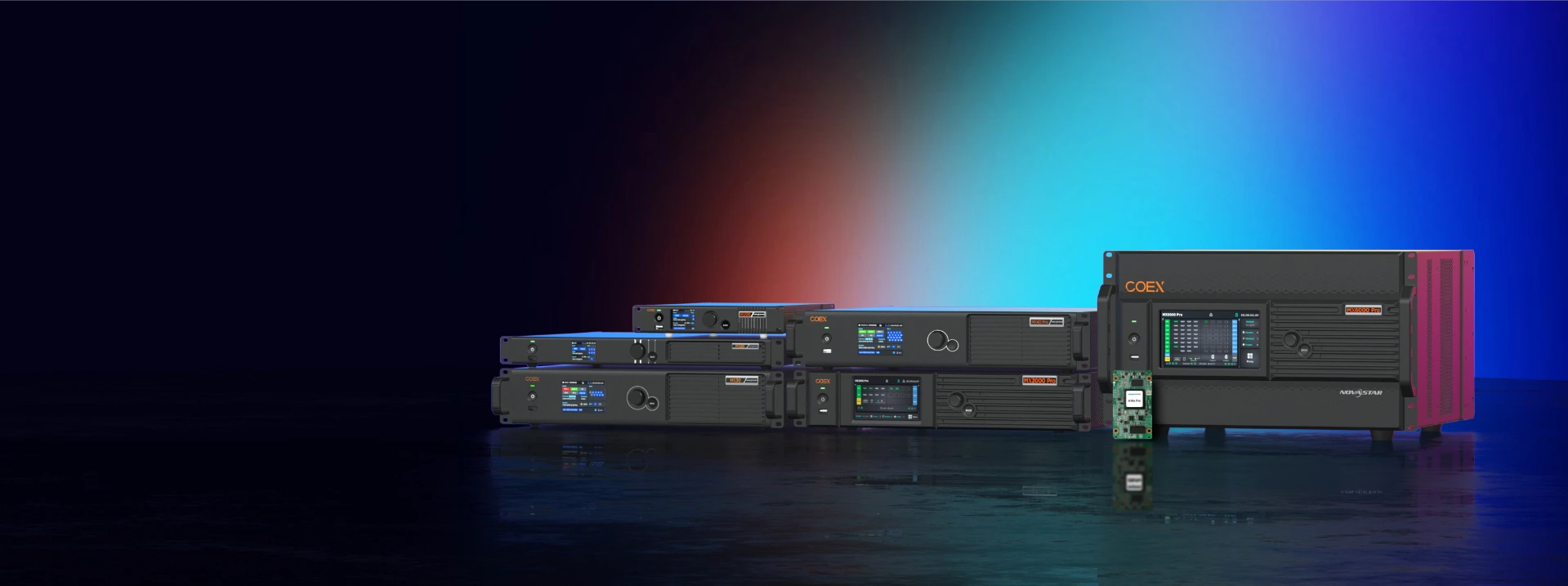
The MX Series offers a range of capabilities within NovaStar’s COEX platform. Your equipment schedule identifies the actual model; other Viral configurations may use a different NovaStar family.
| Model | Rack size | Maximum pixels* | Capabilities |
|---|---|---|---|
| MX20 | 1U | 3.9 million | Three layers; HDMI 1.3 inputs. |
| MX30 | 2U | 6.5 million | Three layers; an HDMI 2.0 input for 4K sources and supported HDR content. |
| MX40 Pro | 2U | 9 million | Four layers; three HDMI 2.0 inputs; advanced picture controls. |
| MX2000 Pro | 2U | 35.38 million | Modular input/output cards; up to eight 4K layers. |
| MX6000 Pro | 6U | 141 million | Larger modular platform; up to 32 4K layers. |
*Manufacturer maximums are shown. Usable capacity and available features depend on the installed cards, receiving hardware, operating settings, and system configuration.
HDR is available on appropriately equipped models. MX30 supports HDR10 and HLG through its HDMI 2.0 input; MX40 Pro adds tools including 3D LUTs, color curves and Dynamic Booster. Advanced enhancements require the appropriate hardware and setup. Your proposal identifies the calibration provided.
A 4K input does not make the wall native 4K. The display’s own pixel count determines its native resolution.
Inputs, independent sources and on-screen layers serve different roles. We confirm the complete signal path, including any multiviewer, for the approved layout. Standard multiple-source packages retain their specified AVPro AC-MV-41.
More than four sources, larger walls outside the Visualizer and bespoke installations are custom quoted. Modular MX2000 Pro and MX6000 Pro systems are evaluated where the project calls for them.
Available features depend on the selected processor, display hardware, and system configuration. Control interfaces, automation and conferencing equipment follow the itemized project scope.
No. The processor follows the display and intended experience. MX-equipped solutions use an appropriate MX Series model; other configurations may use a different NovaStar family. Your equipment proposal identifies the actual model and included features.
No. Available features depend on the selected processor, display hardware, and system configuration. Specific receiving cards, firmware and calibration procedures may be required. Your proposal confirms the calibration and enhancements included.
No. Source input resolution and the LED wall’s native pixel count are different. We select the display and processing together for your viewing distance, content and intended layout.
Automation and conferencing are planned separately. Cameras, microphones, controllers, interfaces and programming are included only when itemized. More than six sources and bespoke projects require a custom quotation.
Designed nationwide · Headquartered in Phoenix
Add a room photo, wall width and viewing distance. Explore the possibilities and share your favorite with our team.